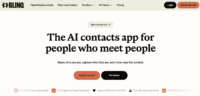
Paper business cards get lost, go out of date, and end up in the recycling bin. Blinq replaces them with a digital card you can share via QR code, NFC tap, email signature, or video call background — and update anytime without reprinting anything. Over 2.5 million people across 500,000 companies already use it, including users from 93% of the Fortune 500.
What Is Blinq?
Blinq is a digital business card platform that lets you create a professional card on your phone and share it instantly with anyone — whether they have Blinq installed or not. You share via QR code, NFC tap (if you buy a physical NFC card), Apple or Google Wallet pass, email signature, or as a virtual background in Zoom and Teams calls.
When someone scans your card, they see your name, title, company, contact details, social links, and any other info you’ve included. They can save your details directly to their phone contacts with one tap. You get a notification when they do, and their info gets captured in your Blinq contact list — turning every card share into a lead capture moment.
Key Features That Matter
Multiple Cards for Different Contexts: Create separate cards for different roles or situations. One card for professional networking, another for freelance work, a third for personal use. Switch between them with a tap. The free plan gives you two cards; Premium gives you five.
QR Code & NFC Sharing: The fastest way to share your card is to pull up your QR code and let someone scan it, or tap an NFC-enabled Blinq card against their phone. No app required on the recipient’s end — it opens in their browser.
Lead Capture: When someone scans your QR code, you can prompt them to fill in their own details. This turns a casual exchange into a captured contact with name, email, and phone number — all exportable as a CSV or synced to your CRM.
Email Signature & Video Background: Add your Blinq card to your email signature or use it as a branded video call background. Both generate a clickable link to your card, which means every email you send and every video call you join becomes a passive sharing opportunity.
Team Management (Business Plan): For teams, Blinq offers centralized control — templates, field locking, consistent branding, and integrations with HubSpot, Salesforce, and Microsoft Entra. Admins can manage everyone’s cards from a single dashboard.
Security & Compliance: Blinq is GDPR and SOC 2 Type II compliant, with enforced SSO available on Enterprise plans. For professionals in regulated industries, this matters.
Who Is Blinq Best For?
Blinq is built for the individual professional who networks regularly — real estate agents, consultants, freelancers, salespeople, event attendees, and anyone who meets new people as part of their job. You sign up, create your card, and start using it immediately. No team approval needed, no IT involvement.
It’s particularly strong for people tired of the paper card ritual. No more running out of cards at a conference, handing someone outdated info, or losing the cards you collected. Everything is digital, always current, and always with you.
Where Blinq Falls Short
The biggest limitation is when the other person doesn’t have Blinq. You can share your card easily (it opens in their browser), but getting their info back requires them to scan and fill in a form. If they just glance and move on, you’ve shared but haven’t captured. It pushes many exchanges back to LinkedIn, which defeats some of the purpose.
Meaningful customization beyond basics requires the Premium plan. The free plan gives you two cards with standard designs, but QR code personalization, color customization, and CSV export of contacts are locked behind the $5.89/month tier.
Enterprise features like SSO enforcement, audit logs, and webhook integrations require custom pricing. For a solo professional, this doesn’t matter — but it means the free and Premium plans are what you’re working with.
The Bottom Line
Blinq solves the paper business card problem cleanly. Share your details instantly, capture leads when people scan your code, and never hand out an outdated card again. The free plan is genuinely useful for getting started, and the Premium plan at $5.89/month is cheap enough that most professionals won’t think twice. Just don’t expect magic when networking with people who aren’t in the digital card ecosystem yet.