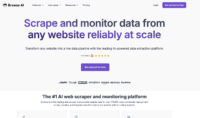
Web scraping used to require writing Python scripts and battling anti-bot measures. Browse AI built its product around the idea that you shouldn’t need to write a single line of code to extract data from websites. Point, click, and let the AI figure out the rest. For solopreneurs and researchers who need data but don’t have a developer on speed dial, that’s an appealing pitch.
What Is Browse AI?
Browse AI is a no-code web scraping and monitoring platform. You train “robots” by visiting a website in Browse AI’s browser, clicking on the data points you want to extract (product names, prices, descriptions, dates), and the AI learns the pattern. From there, your robot can scrape that data on a schedule — hourly, daily, weekly — and pipe it into Google Sheets, Airtable, Zapier, or any of 7,000+ integrated tools.
The platform serves two core use cases: one-time data extraction (scraping a list of products, pulling job listings, grabbing competitor pricing) and ongoing monitoring (tracking price changes, detecting new listings, alerting you when something changes on a page).
Key Features That Matter
Point-and-Click Robot Builder: No CSS selectors, no XPath, no code. You visit a URL in Browse AI’s built-in browser, click the data you want, and the AI detects the extraction pattern. For simple e-commerce product pages or blog listings, you can have a working robot in 5-10 minutes.
Scheduled Monitoring & Alerts: Set your robot to run at intervals and get notified when data changes. This is Browse AI’s standout feature for competitive intelligence — track competitor prices, monitor job boards, or watch for new products on a supplier’s website without manually checking.
7,000+ Integrations: Connect your scraped data to Google Sheets, Airtable, Notion, HubSpot, Slack, and thousands of other tools through Zapier, Make, and Pabbly. Build automated workflows where scraped data triggers actions in your other tools.
Bulk Extraction: Feed the robot a list of URLs and it extracts data from all of them in a single run. Useful for scraping product data across multiple category pages or pulling information from a list of competitor websites.
Pre-Built Robots: Browse AI offers a library of pre-built robots for common use cases like Amazon product monitoring, LinkedIn job scraping, and Google Maps data extraction. These save you the setup time for popular scraping tasks.
Who Is Browse AI Best For?
Browse AI is built for the non-technical user who needs structured data from websites but doesn’t know (or want to learn) Python, Scrapy, or Puppeteer. Solopreneurs doing competitive research, freelance marketers tracking competitor pricing, real estate professionals monitoring listings, and researchers collecting public data all fit the sweet spot.
It’s also useful for anyone who needs ongoing monitoring rather than one-time extraction. The scheduled runs and change detection make it a lightweight competitive intelligence tool without the enterprise price tag.
Where Browse AI Falls Short
The credit system is confusing and can burn through faster than expected. “Premium” websites (sites with complex structures or anti-scraping measures) consume 2-10x more credits per run, and you don’t know a site is classified as premium until after you’ve spent the credits. Credits don’t roll over between months.
Robots break when websites change their layout. While Browse AI’s AI can sometimes adapt automatically, structural changes to a target website mean you’ll need to retrain your robot. If you’re scraping dynamic sites that update their front-end frequently, expect recurring maintenance.
It struggles with heavily dynamic single-page applications (React, Angular SPAs) and sites with aggressive anti-bot measures like Cloudflare challenges. For these sites, you may need to manually configure wait times and CSS selectors, which defeats the “no-code” promise.
It’s a scraper, not an automation tool. Users expecting it to fill out forms, click through multi-step flows, or perform browser automation tasks will be disappointed. For that, you need an RPA tool.
The Bottom Line
Browse AI is the most accessible web scraping tool available for non-technical users. If your target websites have stable layouts and you need scheduled extraction with change monitoring, it delivers real value. Just budget more credits than you think you’ll need, and accept that some maintenance is unavoidable when websites change their structure.